Table of contents
What Liz Does
Liz is an AI assistant for engineering leaders built by Sema Software. It connects to your team's tools - Slack, Jira, GitHub, Linear, and more - and gives you a conversational interface to understand what's happening across your organization.
With the Slack integration, Liz can:
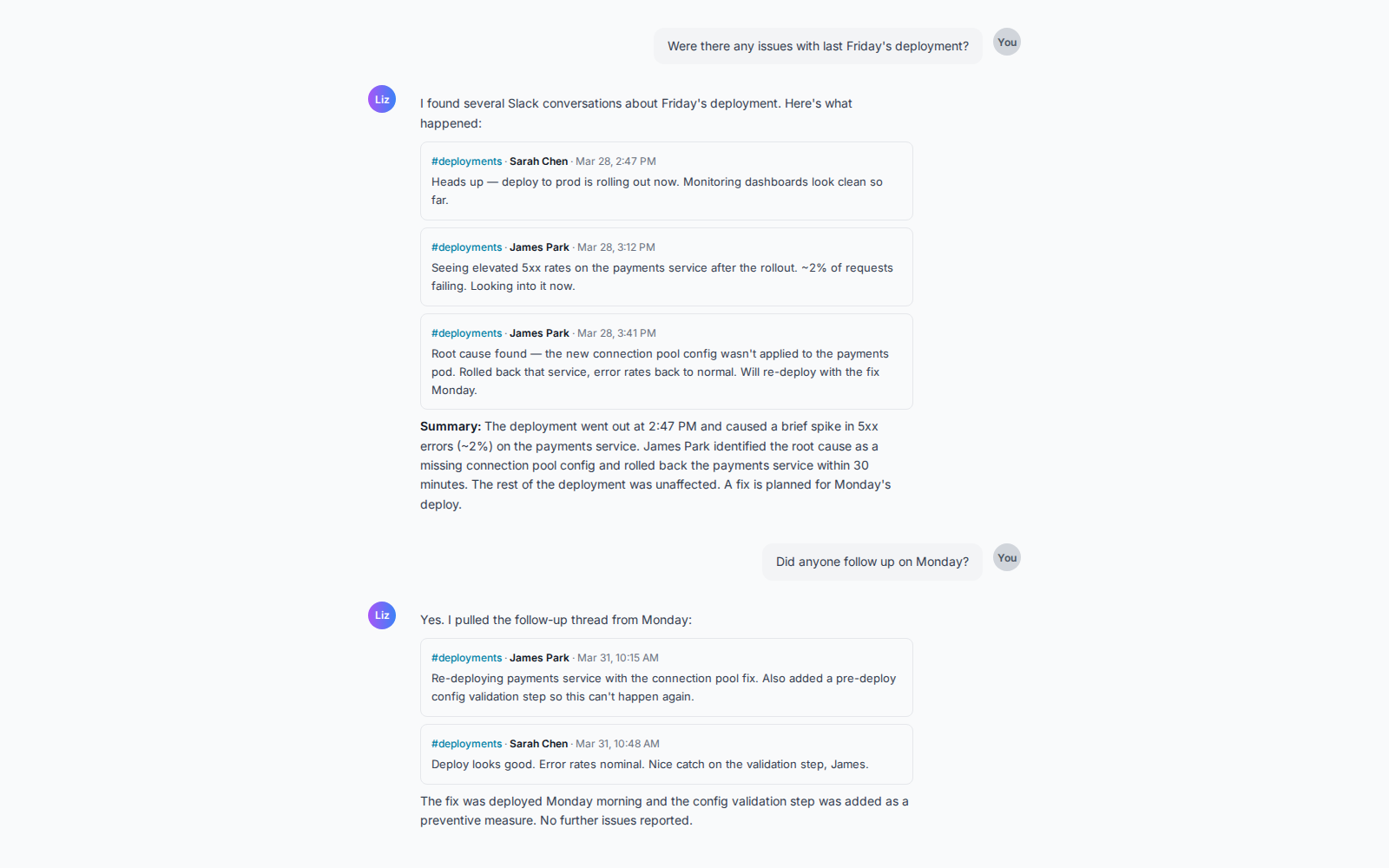
- Search across channels - Ask "Were there any issues with Friday's deployment?" and Liz searches your Slack messages for the answer.
- Trace decisions - Ask "Why was real-time notifications dropped from Q2?" and Liz finds the original discussion thread.
- Cross-reference tools - Ask "What's the status of the auth revamp?" and Liz combines Jira ticket progress with Slack team sentiment.
- Summarize team activity - Ask "What did the platform team discuss this week?" and Liz groups conversations by topic.
How It Works
- Connect your Slack workspace - Click "Add to Slack" and authorize read-only access to your messages.
- Ask Liz a question - Use the Liz chat interface at app.semasoftware.com to ask about your team's work.
- Get answers with Slack context - Liz searches your channels, retrieves thread context, and combines it with data from your other connected tools.
Liz uses read-only access. It never posts messages, joins channels, or takes any actions in your Slack workspace.
Permissions
Liz requests three read-only scopes:
search:read- Search messages across channels you have access to.channels:history- Read message history in public channels.groups:history- Read message history in private channels you belong to.
Only the connecting user's channel access is used. Liz cannot see channels the connecting user hasn't joined.
Note: The search:read scope requires a paid Slack plan (Pro, Business+, or Enterprise Grid). On free plans, Liz can retrieve thread replies but cannot search across messages.
Getting Started
After connecting your Slack workspace, you'll be redirected to the Liz app with a confirmation that the connection was successful.
To start using Liz with Slack:
- Go to the Liz chat interface at app.semasoftware.com.
- Ask a question involving your Slack data - for example, "What did the team discuss about the migration this week?"
- Liz automatically searches your connected workspace and presents the results.
For best coverage, connect with a Slack user who has access to the engineering channels you want Liz to search.
Privacy
Liz stores your Slack OAuth tokens encrypted and uses them only to search and retrieve messages on your behalf. We never store message content permanently. Read our full Privacy Policy.